
Job & Profit Tracking
Run the whole job.
Know what you made.
For small service businesses paid job by job. Keep work, costs and billing together.
Stop piecing jobs together.
Hours in notes. Costs on receipts. Invoices elsewhere. Miss a detail, and you're left guessing what the job earned. Doing the work shouldn't mean guessing at the numbers.
Three steps to clearer jobs
We know scattered notes are hard to sort out. JobClocked keeps the records together. See the product screens below.
Start a job
Create one or use an approved estimate.
Capture the details
Log time, costs and mileage as you go.
Review the numbers
Check costs, invoices and payments.
Free: $0 for one user and one client. Compare plans
See JobClocked in action.
Real screens for jobs, time and invoices.

From estimate to payment.
Every detail stays with the job.
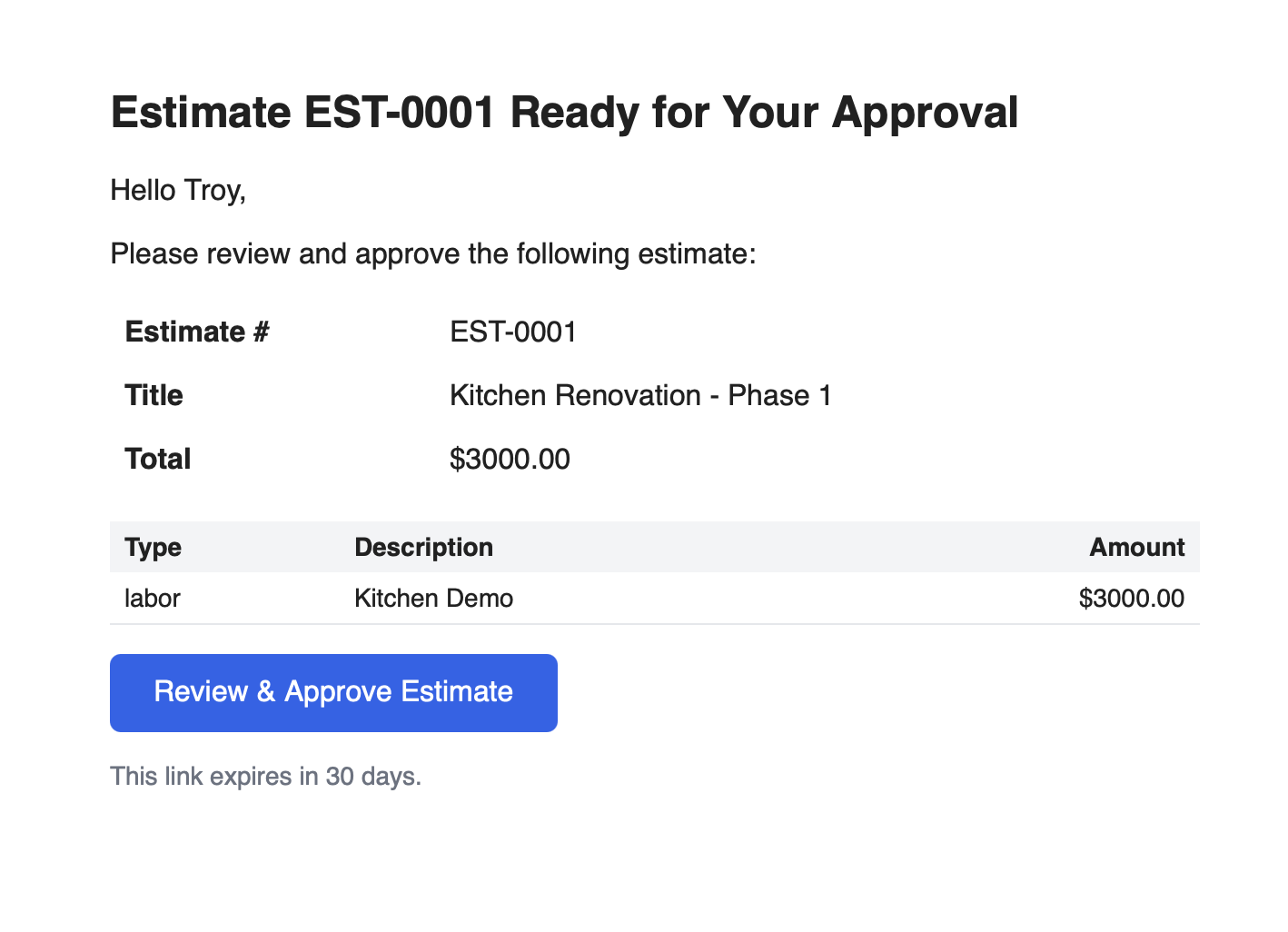
Estimate the work.
Send an estimate and turn approved work into a job.
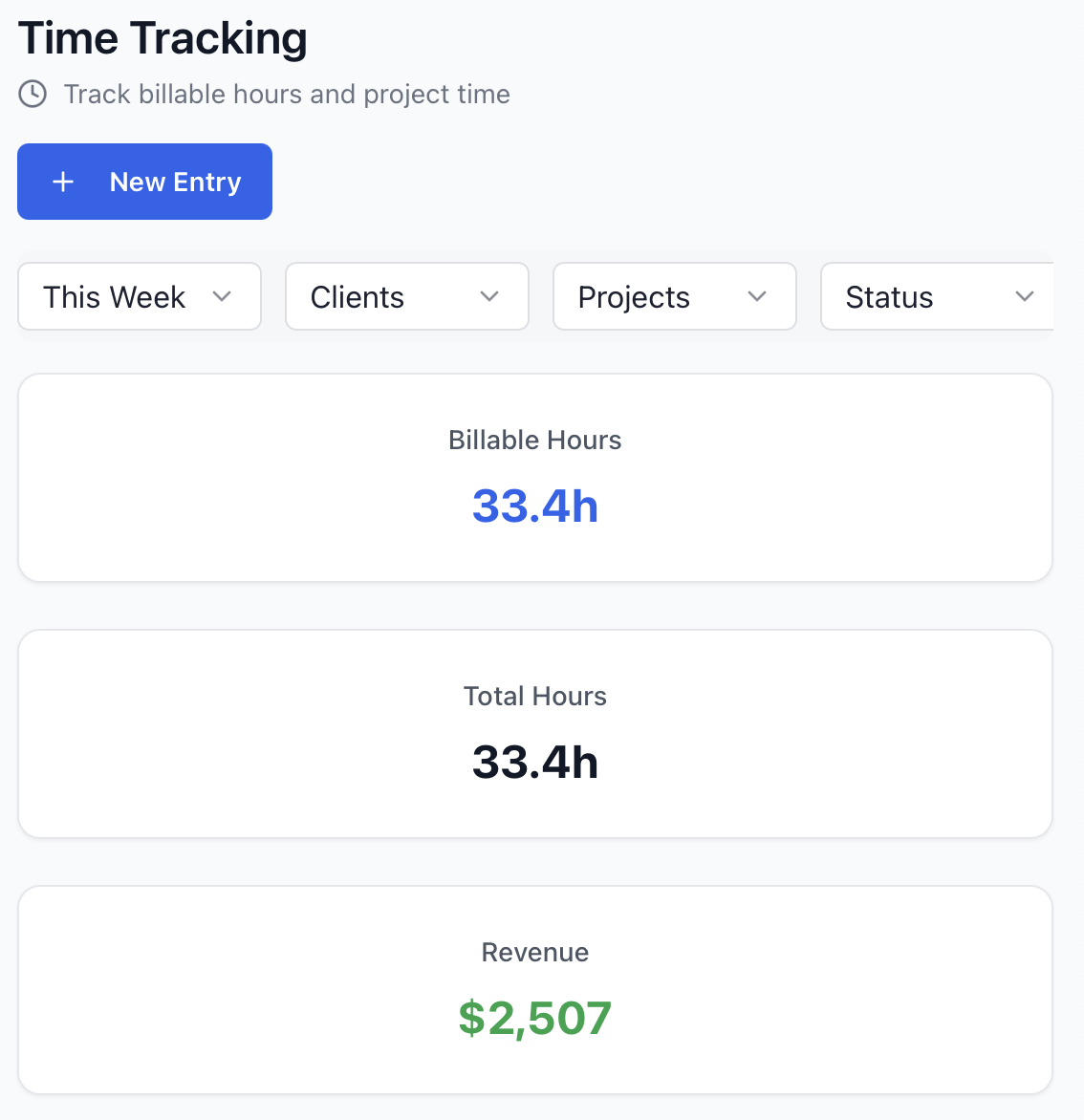
Log the details.
Keep hours, materials, expenses and mileage with the job.
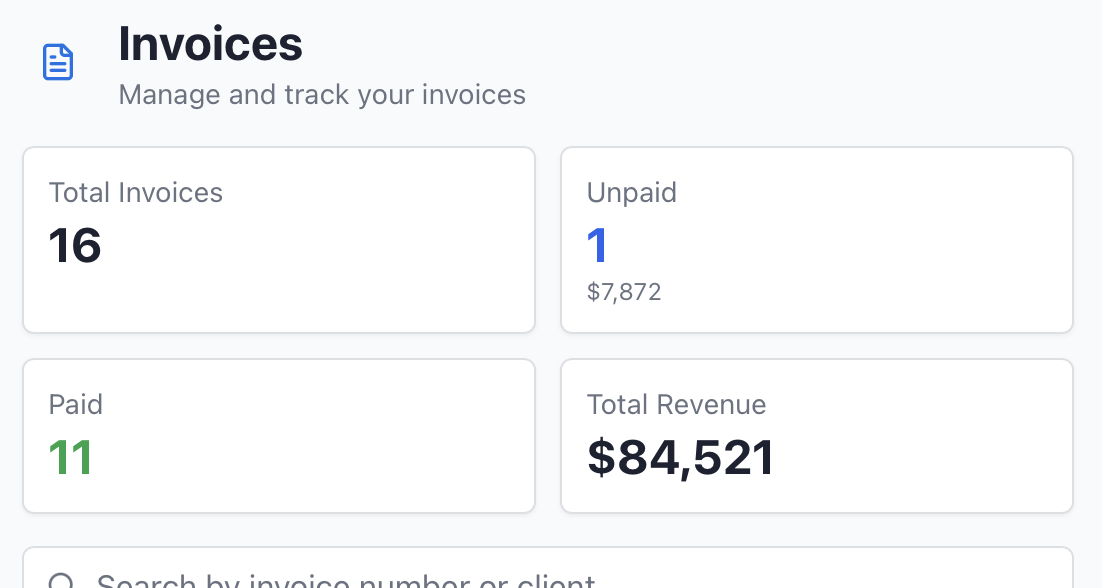
Check the billing.
Send invoices and see payments and outstanding balances.
Finish the job. See the numbers.
Open a completed job. See logged hours, recorded costs, invoices and payments together. No guessing from memory.
Team also adds labor costs and true profit per job.
Built for the field
Works on your phone
Track time, mileage, and expenses right from the job.
No signal? No problem
It saves everything and syncs later.
Locked and secure
Your numbers stay yours.
Keep your crew's job records together
On Team, set Owner, admin and crew roles. Review their time and costs by job.
Ready to see what each job made?
Free: $0 for one user and one client. Solo and Team plans are also available.